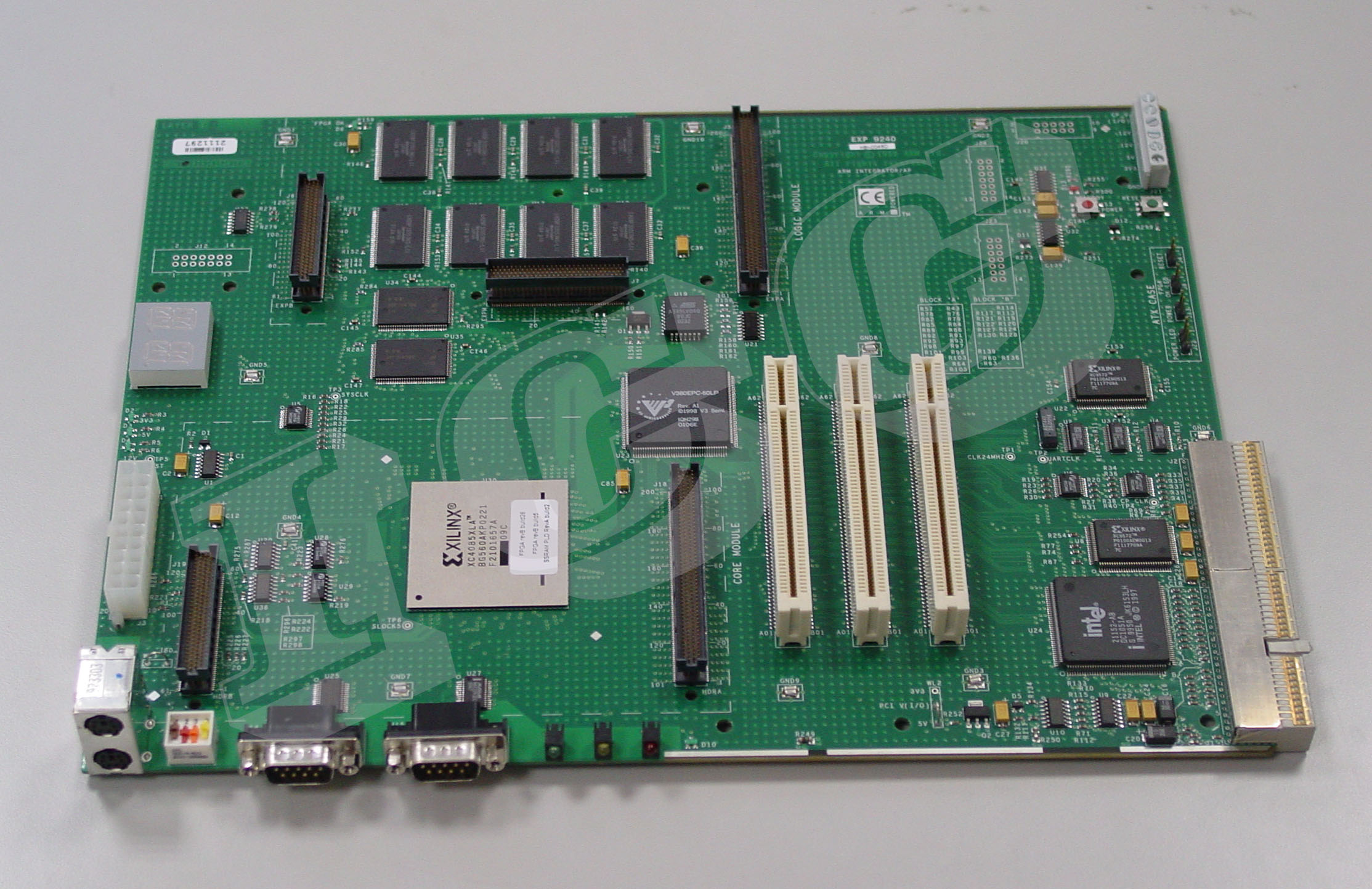
Preparations
Terminology: uploading in this article goes from your development host (PC, laptop whatever) to the target system/board. Some people talk about "downloading to the target" and such silly stuff, I find that totally confusing especially since the terminal (minicom) will have all its terminology reversed, as it is equipped for downloading and uploading to other servers. The target system can be imagined as some server if it helps you. We will upload to it. Enough said, live with it.
Most developers working on Integrator in the past appear to have been using the ARM debugging tool named Angel to upload kernels and boot them. I don't use that thing at all, I can't get it to boot and I have no manual for it anyway. Using it mostly seems like some path of least resistance to me. Here I only use the boot monitor resident in the machine, U-Boot, and the raw kernel.
Electrical preparations: apparently the Integrator/AP board dissipates so little current that the PCI bus can get erroneous voltage levels due to how a switched PC power supply works. This means you may need to solder on a load resistor so the switched power can stabilize.
Getting a Cross Compiler for ARMv4
See obtaining an ARMv4 Toolchain which I broke out as a separate subject.
Serial Terminal
Install minicom. In Fedora it's simply yum install minicom and you're done with it. Minicom also provides the ascii-xfer utility that is vital for uploading S-records.
Setup minicom, I just use this terminal program out of habit, and it's simple to suspend to do other stuff on the serial port, like uploading S-records. So:
- As root: minicom -s
- In the Serial port setup, select port (/dev/ttyS0 for your first built-in port, /dev/ttyUSB0 for a USB-to-serial dongle) menu set up 38400 baud, 8 data bits, NO parity, 1 stop bit, NONE control flow, then:
- For the Integrator/AP select hardware flow control
- For the Integrator/CP select NO hardware flow control - the symptom for not doing this will be that the boot monitor prompt goes numb, i.e. you cannot interact with it, ENTER is useless etc.
- In the Modem and dialing menu delete "init string", "reset string" and "hang up string", this is no modem so why would we care, it only disturbs our use of the serial port for uploading S-records and stuff
- Save as dfl to save this as default
U-boot
Compiling U-Boot
- Clone a u-boot from Das U-Boot git over at denx.de
- Configure and build the shebang for your core module, I happen to have
an ARM920 core module so notice I use:
cd u-boot
mkdir build
export CROSS_COMPILE=arm-none-eabi-
make O=build CROSS_COMPILE=$(CROSS_COMPILE) distclean
make O=build CROSS_COMPILE=$(CROSS_COMPILE) integratorap_cm920t
make O=build CROSS_COMPILE=$(CROSS_COMPILE) all
If you think it's fun you can use my integrator-uboot.mak file to build all variants like this: make -f integrator.mak buildall (use it in the u-boot root dir)
- Make sure that u-boot.srec appears in your build directory.
- Strip out the S7 line at the end of the S-record file if you don't want the Integrator to boot your U-Boot immediately when it's been uploaded.
Precompiled U-Boot for memory boot
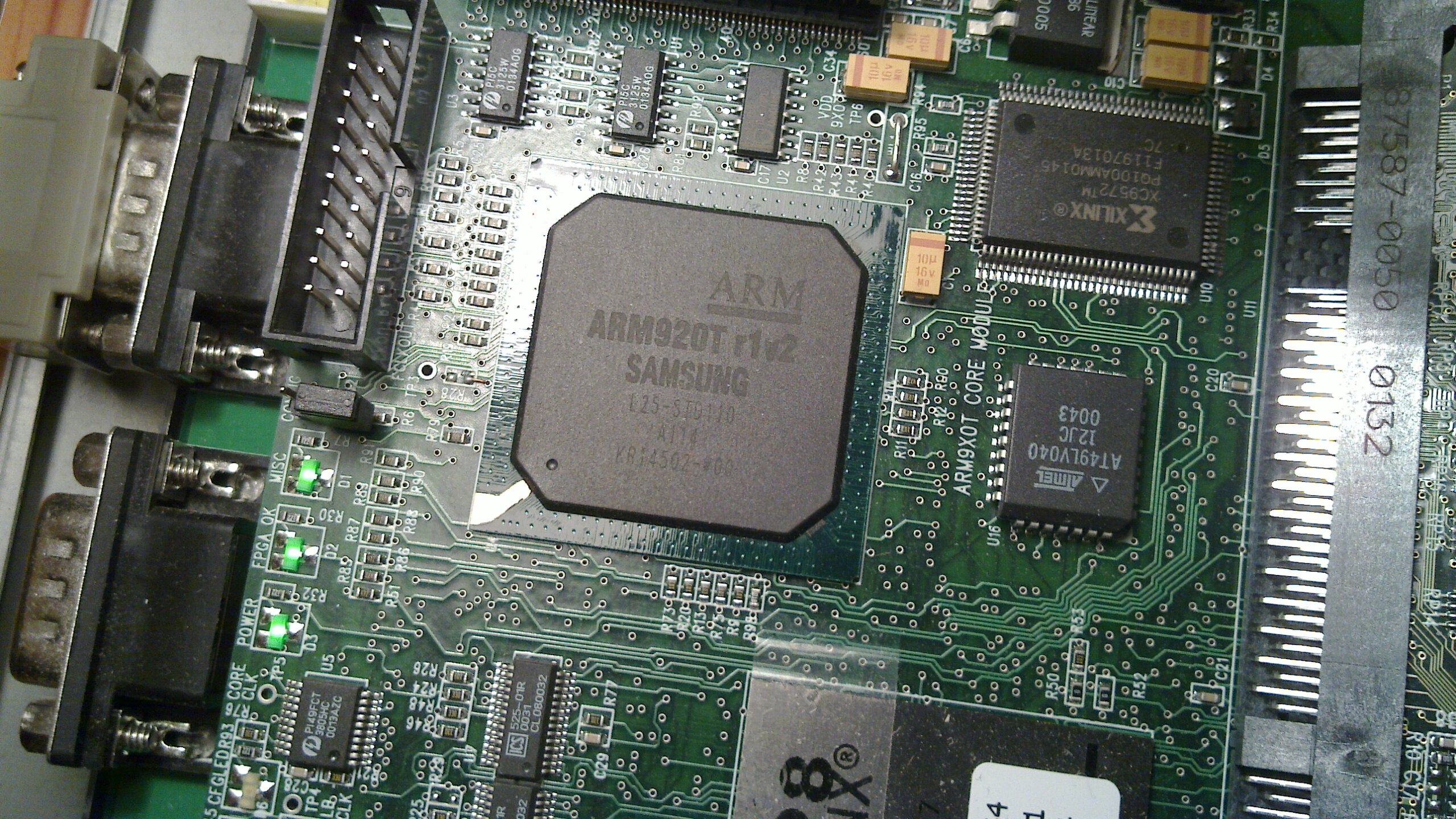
To skip all U-boot business just download my pre-compiled S-record files: (~300 KiB)from here and use it. It's usually pretty up-to-date, else push me about it. These are compiled to be started from SDRAM memory at 0x01000000 using the boot monitor, as described below.
- AP CM720T: u-boot-ap-cm720t.srec
- AP CM920T: u-boot-ap-cm920t.srec
- AP CM926EJS: u-boot-ap-cm926ejs.srec
- AP CM946ES: u-boot-ap-cm946es.srec
- CP CM920T: u-boot-cp-cm920t.srec
- CP CM926EJS: u-boot-cp-cm926ejs.srec
- CP CM946ES: u-boot-cp-cm946es.srec
- CP CM1136: u-boot-cp-cm1136.srec
Uploading U-Boot to the Integrator RAM and starting it
- Start minicom boot target into boot monitor
- Test the U-boot you built by just loading it into SDRAM memory and run it like so:
- Type M to begin uploading S-records into RAM
- Suspend minicom with Control-AJ
- Use the tsload utility from MontaVista to load the S-record version of U-boot through the boot monitor, example: tsload /dev/ttyUSB0 u-boot-ap-cm920t.srec
- When finished and back to prompt type fg to return to minicom
- Type X to leave the generic boot monitor and enter the Integrator-specific boot monitor (weird, but whatever)
- Type G 0x01000000 to start U-boot from RAM
- Does it come up? Then you can proceed to first boot an example uImage (can be found below) and then proceed to compile a flash version of U-Boot and program it into flash memory
- HINT: the U-boot image is often resident in memory unless your kernel start using a lot of it. Often you can just hit the reset button and go through the X and G 0x01000000 cycle without re-uploading U-boot
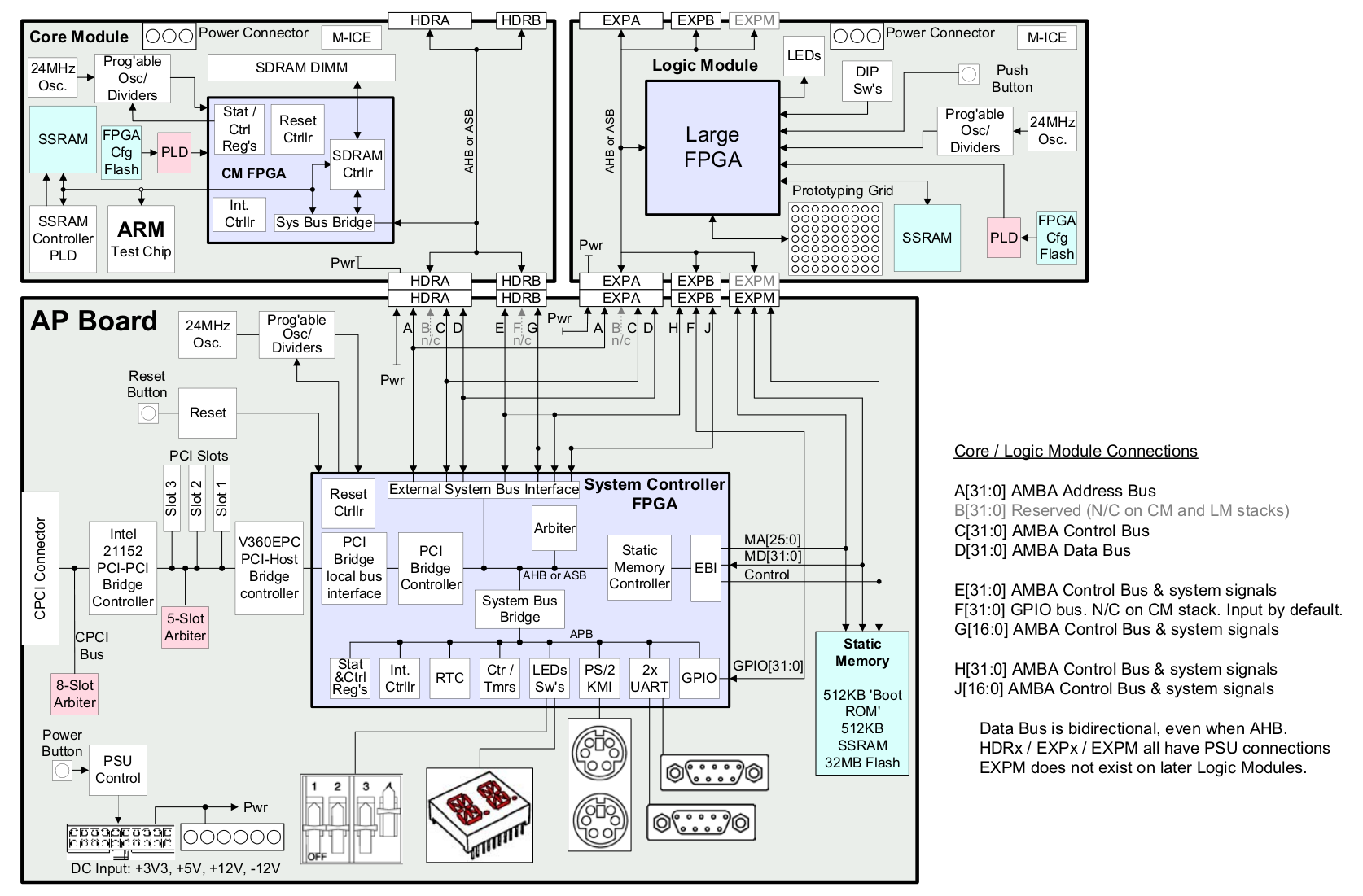
Uploading U-Boot to the Integrator flash and autostarting it
Once you have a U-boot you can trust, flash U-boot into flash memory like this:
- Recompile your U-Boot to reside at 0x00000000 by editing include/configs/integratorap.h and modify the CONFIG_SYS_TEXT_BASE to 0x00000000. The address where we flash it is at 0x24000000, but at autoboot, that memory will be mapped at 0x00000000 so we compile to the latter address
- Type E followed by y to erase all of the flash memory first
- Type L to begin uploading S-records into the flash memory
- Suspend minicom with Control-AJ
- Use the tsload utility from MontaVista to load U-boot through the boot monitor, example: tsload /dev/ttyUSB0 build/u-boot.srec
- When finished and back to prompt type fg to return to minicom
- If the upload has failed due to overrun - this may happen when flashing, because flash programming can take undeterministic time - you have to erase and start over, go back and erase and reflash again. It will look like this:
Type Ctrl/C to exit loader.
................................
................................
................................
..WARNING: Possible loss of data

ERROR: UART Overrun
To avoid this situation, tsload supports a per-line and per-character millisecond delay option, just two figures after the S-record argument. Flashing U-boot can take several minutes like this. - Type V to verify that your U-Boot has been flashed properly
- Type X to leave the generic boot monitor and enter the Integrator-specific boot monitor (weird, but whatever)
- Flick the S1 DIP switch to OFF, S4 DIP switch to ON and hit the reset button to start U-boot from Flash
- Does it come up? Then you have suceed in programming U-boot to flash memory!
- If this just fails you likely have to revert to loading U-boot from the serial console, every time, or flashing U-boot from U-boot! Which is actually a good idea, see below...
Flashing U-boot from U-boot
If uploading U-Boot using the serial console doesn't work you can attempt to upload it using the RAM-resident U-Boot.
- Boot into the boot monitor and type E followed by y to erase all of the flash memory first
- Start U-boot from RAM using the M command as described above
- Use the u-boot.bin image produced when compiling U-Boot
- You will need my arm-header.c program to pad the image to an even flash block and add some magic header and footer including checksum, you can compile this with gcc -o arm-header arm-header.c
- On your host, do something like: arm-header u-boot.bin u-boot-padded.bin
- Type loady 0x00008000 at the U-Boot prompt to start the ymodem protocol parser in U-Boot and load some binary to address 0x00008000
- In minicom type Control-AS to access the upload feature
- Select ymodem
- Select your compiled u-boot-padded.bin file with arrow keys and hit space
- Hit Enter on Okay
- Wait for some time while U-boot uploads to the target...
- Hit Enter to return to the U-Boot prompt
- U-boot will tell you the size of the uploaded U-boot like this: ## Total Size = 0x00020000 = 131072 Bytes
- Copy U-boot from memory to flash like this: cp.b 0x00008000 0x24000000 0x00020000 i.e. 128KiB
- Reboot into the boot monitor (reset button)
- Type V to verify that your U-Boot has been flashed properly
- Flick the S1 DIP switch to OFF and the S4 DIP switch to ON and hit the reset button to start U-boot from Flash
- Does it come up? Then you have suceed in programming U-boot to flash memory!
Restoring the flash
This procedure can be used if your flash is corrupted or in some unclear state. You need to bring it back to state where it just contains the boot monitor.
- Download integrator-cp-flash.bin and make it available to the boot loader.
- Check the flash status with flinfo
- Unprotect any protected sectors, usually these:
protect off 0x24f00000 0x24f3ffff
protect off 0x24f80000 0x24fbffff
- Load the new flash contents into memory in U-Boot:
loady 0x01200000 (then upload with Y-modem in minicom as above) or
tftpboot 0x01200000 integrator-cp-flash.bin - The file is 16MiB, it should take some time to load
- When done U-Boot should say Bytes transferred = 16777216 (1000000 hex)
- erase 0x24000000 0x24ffffff to erase all 16MiB of flash
- cp.b 0x12000000 0x24000000 0x01000000 to copy the new flash contents into the now blank flash
- Reprotect any protected sectors, usually these:
protect on 0x24f00000 0x24f3ffff
protect on 0x24f80000 0x24fbffff
- Reboot: boot monitor should come up with a clean flash with nothing but the boot monitor in it.
- Curiously my boot monitor has the name BMON Loaded this seems to be the ARM default
Using U-Boot to upload the Linux kernel
To upload a kernel using the now running U-boot using ymodem on the serial port only:
- Optionally type setenv baudrate 115200 to beef up speed (recommended) after this hit Control-AP and change the baudrate to 115200 and then hit ENTER to activate the new highspeed mode
- Type loady 0x7fc0 at the U-Boot prompt to start the ymodem protocol parser in U-Boot and upload a file to 0x00007fc0
- In minicom type Control-AS to access the upload feature
- Select ymodem
- Select your compiled uImage file with arrow keys and hit space
- Hit Enter on Okay
- Wait for a long time while the kernel uploads to target...
- Hit Enter to return to the U-Boot prompt
- Type imi and verify that the uImage is correctly uploaded to RAM
- Type loady 0x00800000 at the U-Boot prompt to start the ymodem protocol parser and upload a second file to 0x08000000
- In minicom type Control-AS to access the upload feature
- Select your compiled integratorap.dtb or integratorcp.dtb file with arrow keys and hit space
- Hit Enter on Okay
- Wait for a short time while the kernel uploads the little device tree blob to target...
- Hit Enter to return to the U-Boot prompt
- If your kernel is not using 115200 baud then you should set the speed down again with setenv baudrate 38400 followed by Control-AP and set it down to 38400
- Type bootm 0x00007fc0 - 0x08000000 (boot from memory) as you can see giving the uImage and device tree blob as arguments and hope for the best...
Older kernels using ATAGs rather than the device tree approach outlined above can skip uploading the DTB file.
My U-Boot TODO
Detect the full 128MiB from the SIMM detection registers in the CMGet basic update patches merged upstreamFix memory (SIMM) detection when autostarting U-Boot, this seems to fail right nowMake Flash detection work when autostarting U-Boot by initializing the EBIFind whatever it is that stops the kernel from booting if I kick in U-Boot directly from FlashRefactor pci.c to (A) use io.h like everyone else (B) remove horrid macros and replace with static inlines- Get PCI support fully running again (i.e. boot from network card) rumor has it that it's just my hardware that is broken.
- Fix cache support in U-boot for ARM920T and ARM926EJ-S, it's currently off by default
Kernel
A stock Linux kernel 3.0 or 3.1 (and later) works fine on the Integrator/AP with one fix: you need to disable the VGA Console. If you boot the machine using U-Boot resident in Flash it currently does not initialize PCI properly, and since the VGA framebuffer will start poking around in PCI memory space things will hang.
I've written a number of patches to the Integrator kernel including a refurbished timer implementation and modernized integrator_defconfig - most of these should be in place in kernel 3.1. Nowadays (kernel v3.7 and later) I'm mostly working on Device Tree transition and consolidation.
I may be one of the few who actually use the real hardware. For some time the Integrator/CP was a popular QEMU target but it seems to deviate from the actual hardware. Nowadays the Versatile/PB seems to be the most popular QEMU target.
When I build Integrator kernels I use this integrator.mak makefile, like this: make -f integrator.mak config && make -f integrator.mak build - it is mainly a way to automate things.
Root Filesystem
A specific problem is creating the root filesystem. To create something that will work on any Integrator AP Core Module you will have to use an ARMv4-based file system.
The compiler needs special flags to generate code suitable for older ARM cores like the ARM920T that I'm using. The compiler flags for ARM920T using the EABI is -msoft-float -marm -mabi=aapcs-linux -mthumb -mthumb-interwork -march=armv4t -mtune=arm9tdmi I used this when generating the initramfs image. If you want to target your rootfs for a certain CPU you can use CPU-specific switches like -mcpu=arm926ej-s instead of both -march and -mtune.
If you're using the prebuilt CodeSourcery compiler, you need to make sure you also include the proper ARMv4T versions of the glibc libraries, found in arm-none-linux-gnueabi/libc/armv4t in the compiler directory. Not all of the libraries are necessary for getting e.g busybox working, so you can manually strip down the size of the initramfs.
My initramfs rootfs image is downloadable from the link. This is an ARMv4T variant.
If you're interested, here is the script I actually use to generate that root filesystem. It's a bit tricky to use.
Prebuilt uImage
Below are pre-built stand-alone uImage:s with initramfs compiled for some assorted Integrator variants, namely those in the defconfig. It supports both Integrator/AP and Integrator/CP with any of the following core modules:
- CM720T
- CM920T
- CM922T
- CM926EJ-S
- CM1020T
- CM1022E
- CM1026EJ-S
As you can see for example the CM946T is not supported, since it does not have an MMU and is for this reason not supported in the Linux kernel (I guess uCLinux is possible, but noone has implemented that).
The version number indicates the version of the Linux kernel used on each kernel.
- uImage-5.4-rc6
- uImage-5.3-rc3
- uImage-4.20
- uImage-4.19-rc1
- uImage-4.16
- uImage-4.15-rc2
- uImage-4.12
- uImage-4.10-rc3
- uImage-4.9-rc1
- uImage-4.7
- uImage-4.4
- uImage-4.3
- uImage-4.2
- uImage-4.0
- uImage-3.19
- uImage-3.17
- uImage-3.12-rc4
Device trees:
Booting from TFTP over Ethernet
If you have working ethernet in your U-Boot you can load a kernel over TFTP, which is extremely helpful if you want to boot quickly and iterate a few hundred git bisect tests or so. This is working real nicely for the Integrator/CP but I have a hard time getting the PCI support in U-Boot to a point where the existing network card drivers work properly.
You may want to look at my TFTP server install instruction if you're using a recent Fedora version to do this.
I usually edit my compilation scripts to copy the finished uImage file to /var/lib/tftpboot and reboot the system. If you're booting U-Boot from flash with a custom auto-boot command line that immediately do something like tftpboot this is really quick and neat.
I have edited the boot command in U-Boot to autoboot the kernel and device tree from the network on the Integrator/CP (as I don't have working network on my Integrator/AP). I just put this into include/configs/integratorcp.h in U-Boot:
#define CONFIG_BOOTCOMMAND "" \
  "set serverip 192.168.1.32 ; " \
  "set ipaddr 192.168.1.35 ; " \
  "tftpboot 0x00007fc0 192.168.1.32:uImage ; " \
  "tftpboot 0x00800000 192.168.1.32:integratorcp.dtb ; " \
  "bootm 0x00007fc0 - 0x00800000"
My Kernel TODO
Fix the clock source so time does not stand stillModernize clock event codeFix the Integrator regression making v3.1-rc:s not boot (grr)Get the Integrator/CP to boot with the 3.2 kernelsAdd TCM support, i.e. make the non-TCM CPU core modules not hang when booted with TCM supportAdd sched_clock handling so we get some non-jiffyaligned scheduling on the AP - may require multi-sched_clock implementationsConvert to use sparse IRQsConvert to MULTI_IRQ and rewrite FPGA IRQ controller to use just C and irqdomainsConvert to use the common clock subsystem in drivers/clkGet the VGA video working on the Integrator/CP PL110 CLCD again(it never was broken)Convert to SoC bus with sysfs support and allConvert to Device Tree:Create device tree bindings for Verstile FPGA IRQConvert basic Integrator platform to device treeConvert AMBA devices to device treeConvert platform devices to device treeConvert PCIv3 PCI adapter to device treeDelete the ATAG boot path completelyConvert clocks to probe from the device treeDelete clock-associated auxdataMove MTD flash protection to the device tree compatible "arm,versatile-flash"Move the the Integrator/CP PL110 display controller set-up to the device tree
Convert platform to be multiplatform and boot a combined v4T+v5 kernelMove Integrator/AP timer to drivers/clocksourceMove core module reset control to drivers/power/reset/arm-versatile-reboot.cGet rid of all plat-versatile dependenciesMove the PCI adapter to drivers/pci (kernel v4.15)- IM-PD1
Enable VIC190 interrupt controller on the IM-PD1Enable clocks on the IM-PD1Enable PL011 serial ports on the IM-PD1Enable the PL181 MMC/SD card reader on the IM-PD1Enable CLCD video on the IM-PD1- Enable USB on the IM-PD1 (Impossible? This requires a USB host controller to be synthesized in the FPGA, there does not seem to be one by default!)
Fix up the cpufreq driver to use device tree and real clocksMove the LM (logic module) expansion to a drivers/bus driverSwitch to use the DRM PL11x driverMake DRM scale back to XRGB1555 with depth 15 (patch exists)Augment the Integrator/CP device tree to use the DRM driverUpdate the Integrator defconfig to select the DRM driver